

編輯:關於 Android 程式設計
IMEI(International Mobile Equipment Identity,國際移動設備識別碼)是唯一標識行動電話硬體的碼。在單卡設計中,一支手機對應一個 IMEI;雙卡設計中,則是「一張卡一個 IMEI」。取得 IMEI 有兩種情境,做法完全不同。
如果你是在改動 Android 系統原始碼、於 framework 層級取值,可以直接使用 GSMPhone 或 GeminiPhone 提供的介面。要注意的是,KitKat(KK)前後的 API 有明顯差異。
可用介面:
GSMPhone.java 中的 getDeviceId()GeminiPhone.java 中的 getDeviceId() 與 getDeviceIdGemini()import com.android.internal.telephony.Phone; import com.android.internal.telephony.gemini.GeminiPhone; import com.android.internal.telephony.PhoneFactory; Phone phone = PhoneFactory.getDefaultPhone(); String imei = ((GeminiPhone) phone).getDeviceId(); GeminiPhone mGeminiPhone; String imei_sim1 = mGeminiPhone.getDeviceIdGemini(PhoneConstants.GEMINI_SIM_1); String imei_sim2 = mGeminiPhone.getDeviceIdGemini(PhoneConstants.GEMINI_SIM_2);
GeminiPhone 中的 getDeviceIdGemini() 已被移除,而 getDeviceId() 只會回傳 default phone 的 IMEI。因此要取得雙卡各自的 IMEI,必須先定位到對應的 SIM 再取值:
GeminiPhone mGeminiPhone;
String imei_sim1 = mGeminiPhone.getPhonebyId(PhoneConstants.GEMINI_SIM_1).getDeviceId();
String imei_sim2 = mGeminiPhone.getPhonebyId(PhoneConstants.GEMINI_SIM_2).getDeviceId();
如果你只是在寫一般的應用程式,請使用 TelephonyManager 的 getDeviceId();雙卡機型則使用 TelephonyManagerEx(雙卡介面)的 getDeviceId(int simId)。
import android.telephony.TelephonyManager;

String imei = TelephonyManager.getDeviceId();
import android.telephony.TelephonyManagerEx;

String imei_sim1 = TelephonyManagerEx.getDeviceId(PhoneConstants.GEMINI_SIM_1);
String imei_sim2 = TelephonyManagerEx.getDeviceId(PhoneConstants.GEMINI_SIM_2);
讀取 IMEI 需要 android.permission.READ_PHONE_STATE 權限,在 Android 6.0 以上還必須執行期動態申請。另外要特別注意:TelephonyManagerEx 與 com.android.internal.* 屬於非公開 API,第三方 App 使用它們在跨版本與不同廠商 ROM 上很可能失效,甚至在新版系統上因隱藏 API 限制而無法呼叫。若目的只是裝置識別,建議改用其他方案並取得使用者同意;IMEI 屬於敏感資訊,蒐集與使用需符合相關法規與平台政策。
 Android ExpandableListView 詳解
一、ExpandableListView 介紹 ExpandableListView 是一個垂直滾動、可顯示兩個層級(Child 子項、Group 分組)列表項的視圖,其
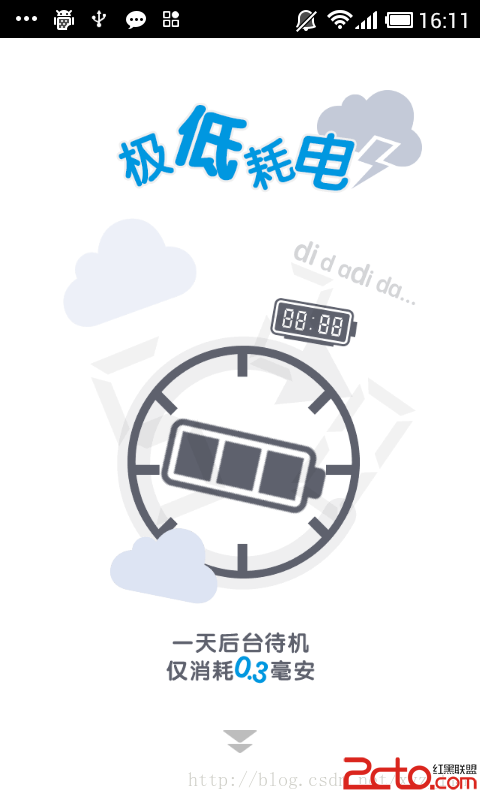 Android UI 開發(四十三):用 Property Animation 重現墨跡天氣 3.0 引導頁動畫
先前寫過《墨跡天氣 3.0 引導界面及動畫實現》,那篇使用的是 View Animation;本篇改用 Property Animation 重做一遍。Property
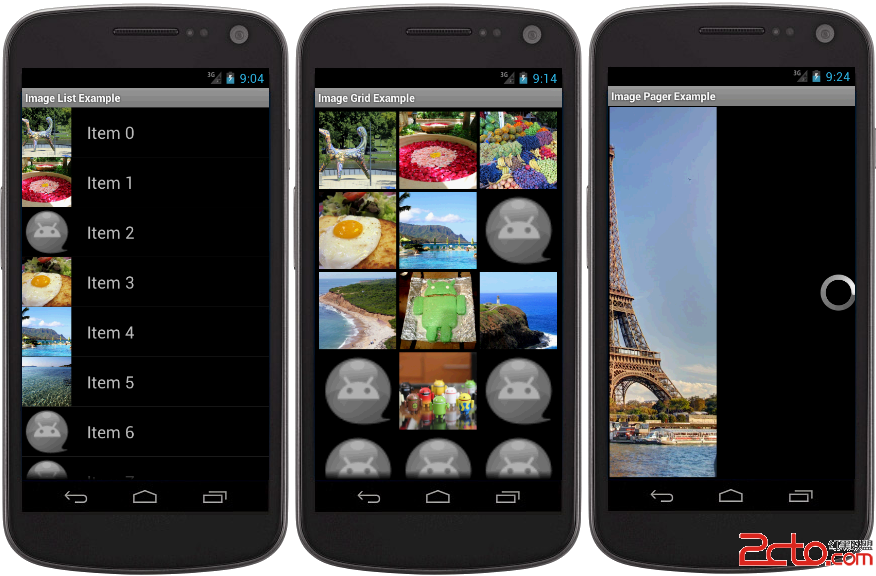 Android-Universal-Image-Loader 使用與配置詳解:圖片異步加載、緩存與優化
簡介 Android-Universal-Image-Loader 是常用的圖片異步加載與快取庫,可簡化網路圖片載入、記憶體快取與磁碟快取。 特點與流程 它支援多線程加
 Android 視頻錄制並保存到本地的完整實現
視頻錄制是不少 App 的常見需求。這裡貼出主要代碼並做詳細講解,幫助你把「調用相機預覽 → 錄制視頻 → 保存到本地」這條鏈路走通。 關鍵角色與整體思路 整個錄制流程