

編輯:關於 Android 程式設計
從 Android 2.0 開始新增了 ExifInterface 類別(位於 android.media 套件,需 API Level 5 以上),主要用於描述 JPG 等格式圖片的附加資訊,例如旋轉方向、GPS、縮圖等。
圖片的 Exif 資訊與 MP3 的 ID3 標籤類似,採用屬性與值的儲存方式。透過 setAttribute(String tag, String value) 設定,讀取則可用 getAttributeInt(String tag, int defaultValue) 或 getAttribute(String tag)。前者第二個參數為預設值,成功則回傳對應 Tag 的值;後者直接回傳結果,失敗則為 null。
目前 Android SDK 定義的 Tag 包含:
TAG_DATETIME(時間日期)、TAG_FLASH(閃光燈)、TAG_GPS_LATITUDE(緯度)、TAG_GPS_LATITUDE_REF(緯度參考)、TAG_GPS_LONGITUDE(經度)、TAG_GPS_LONGITUDE_REF(經度參考)、TAG_IMAGE_LENGTH(圖片長)、TAG_IMAGE_WIDTH(圖片寬)、TAG_MAKE(設備製造商)、TAG_MODEL(設備型號)、TAG_ORIENTATION(方向)、TAG_WHITE_BALANCE(白平衡)。
以下範例示範讀取方向資訊並據此旋轉圖片,這在手機橫向拍攝照片並作為背景時特別有用,可避免背景被旋轉 90 度:
Bitmap bitmap = null;
try {
    ExifInterface exifInterface = new ExifInterface(file.getPath());
    int result = exifInterface.getAttributeInt(ExifInterface.TAG_ORIENTATION, ExifInterface.ORIENTATION_UNDEFINED);
    int rotate = 0;
    switch(result) {
        case ExifInterface.ORIENTATION_ROTATE_90: rotate = 90; break;
        case ExifInterface.ORIENTATION_ROTATE_180: rotate = 180; break;
        case ExifInterface.ORIENTATION_ROTATE_270: rotate = 270; break;
        default: break;
    }
    BitmapFactory.Options options = new BitmapFactory.Options();
    options.inPreferredConfig = Bitmap.Config.RGB_565;
    options.inJustDecodeBounds = true;
    BitmapFactory.decodeFile(filePath, options);
    if (options.outWidth < 0 || options.outHeight < 0) {
        return null;
    }
    options.inJustDecodeBounds = false;
    bitmap = BitmapFactory.decodeFile(filePath, options);
    if(rotate > 0) {
        Matrix matrix = new Matrix();
        matrix.setRotate(rotate);
        Bitmap rotateBitmap = Bitmap.createBitmap(bitmap, 0, 0, options.outWidth, options.outHeight, matrix, true);
        if(rotateBitmap != null) {
            bitmap.recycle();
            bitmap = rotateBitmap;
        }
    }
} catch (IOException e) {
    e.printStackTrace();
}
呼叫 getAttributeInt 並傳入 ExifInterface.TAG_ORIENTATION,即會回傳一個代表角度的 int 值,據此即可正確校正圖片方向。
 Android 7 Shortcuts 快捷方式開發解析
Shortcuts 是什麼 Android 7 引入 Shortcuts,讓使用者在桌面長按應用圖示時,可直接進入常用功能。開發者可自訂捷徑,提升操作效率。 Stati
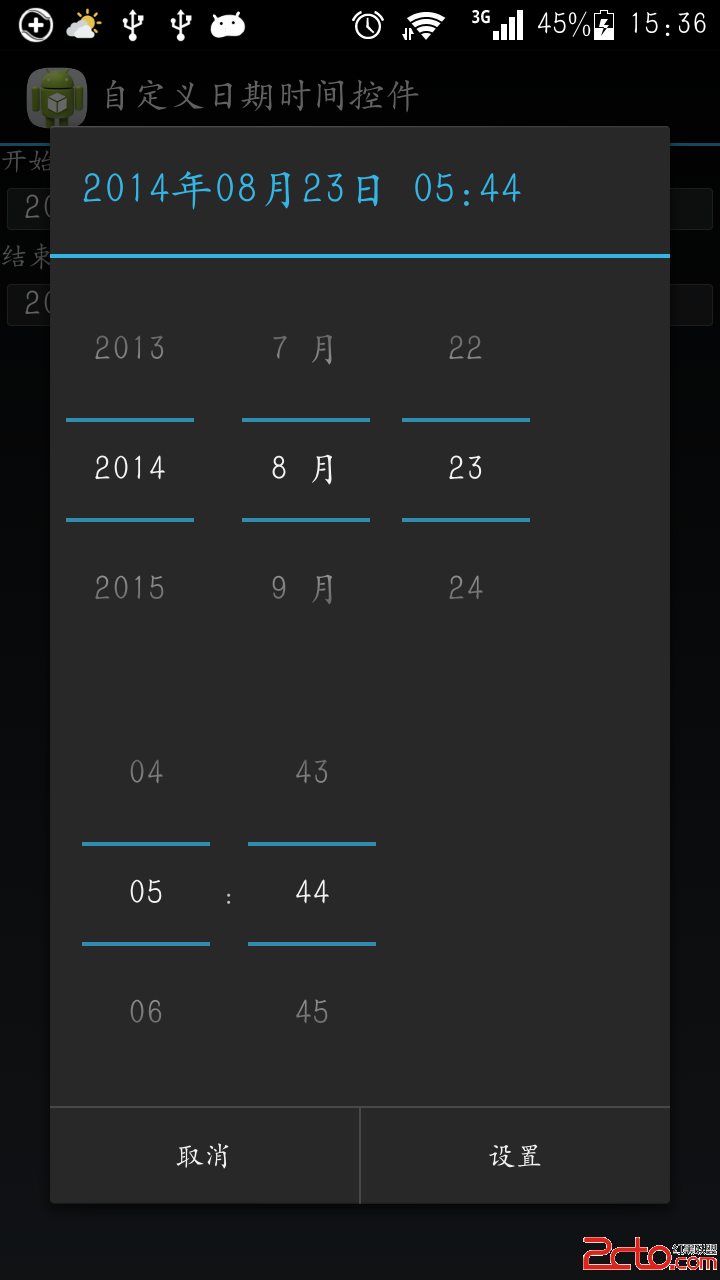 Android 自定義 DateTimePicker:一次選好年月日與時間
距離上一篇 Android 主題的文章已經有一陣子了。關於自定義元件,手邊累積了好幾個題目想陸續分享,本篇要示範的是一個日期時間選擇器,讓使用者能在同一個彈窗裡同時挑選年
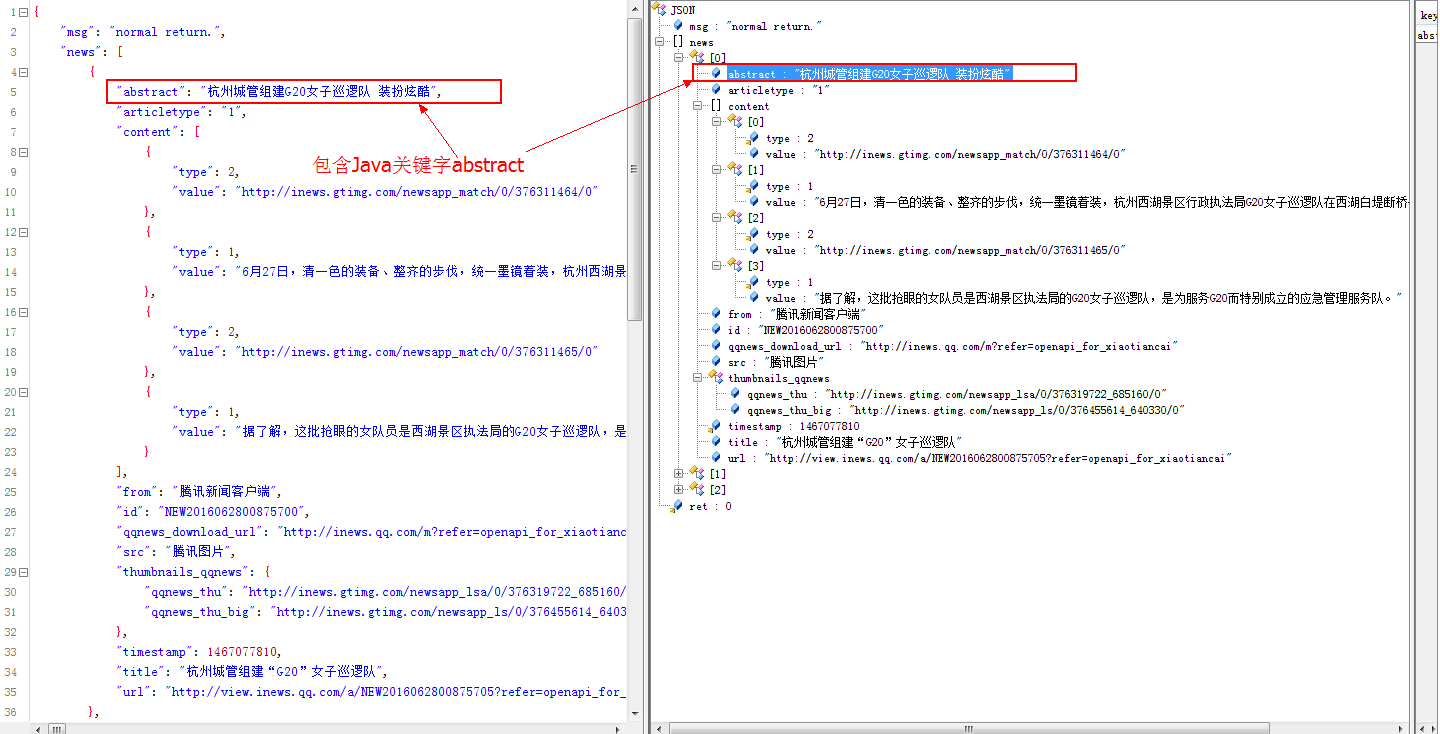 當 JSON 的 Key 撞上 Java 關鍵字:Jackson 與 Gson 解析為 null 的解法
一、問題是怎麼發生的 事情起因於一個看似普通的資訊串接需求。要解析的 JSON 大致長這樣,重點是最後那個 abstract 欄位: { ret: 0,
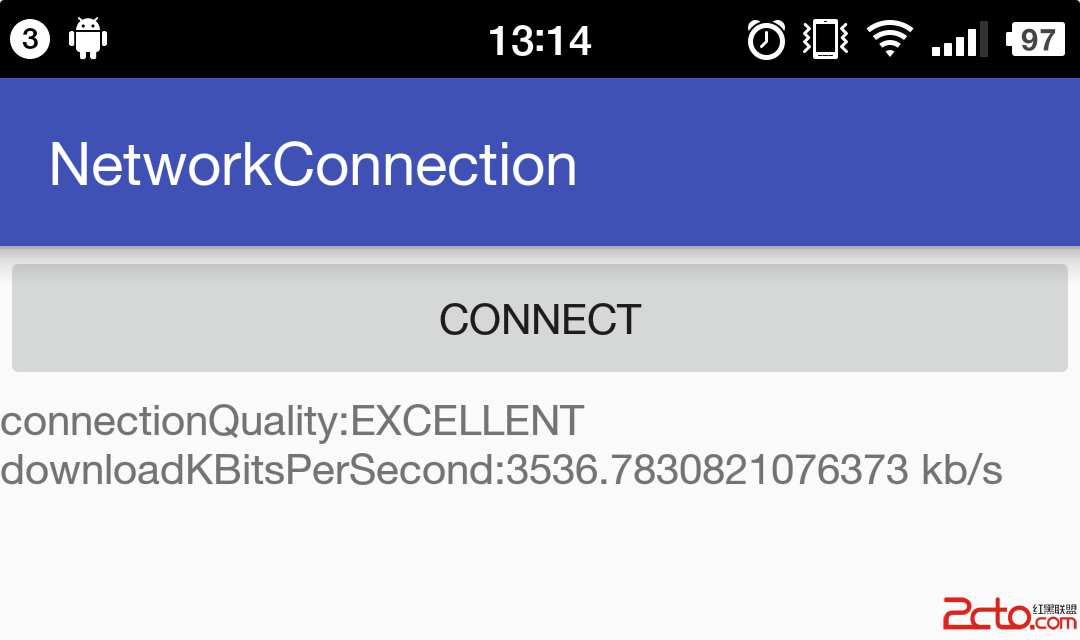 Android 取得當前網速品質,動態調整網路請求策略
開發中常有這種需求:根據使用者當前的網路狀況調整行為。比如網路很好(連著 Wi-Fi)時下載高解析度圖片,而使用者處在 2G 或訊號微弱環境時,改給他縮圖,既省流量也避免