

編輯:關於 Android 程式設計
圖片形狀各異、大小不一。在許多情況下,它們遠比我們的用戶介面(UI)要大得多,佔據著可觀的記憶體空間。如果不對位圖進行壓縮處理,程式很容易發生記憶體洩漏的錯誤。這時候,二次採樣(inSampleSize)就是我們的好幫手。
MainActivity 的程式碼:
package com.example.g08_bitmap;
import android.os.Bundle;
import android.app.Activity;
import android.content.res.Resources;
import android.graphics.Bitmap;
import android.graphics.BitmapFactory;
import android.widget.ImageView;
public class MainActivity extends Activity {
    private ImageView imageView;
    @Override
    protected void onCreate(Bundle savedInstanceState) {
        super.onCreate(savedInstanceState);
        setContentView(R.layout.activity_main);
        imageView = (ImageView) this.findViewById(R.id.imageView1);
        imageView.setImageBitmap(decodeSampledBitmapFromResource(
                getResources(), R.drawable.a, 300, 300));
    }
    public static Bitmap decodeSampledBitmapFromResource(Resources res, int resId,
            int reqWidth, int reqHeight) {
        final BitmapFactory.Options options = new BitmapFactory.Options();
        // 先將 inJustDecodeBounds 屬性設為 true,解碼時避免記憶體分配
        options.inJustDecodeBounds = true;
        BitmapFactory.decodeResource(res, resId, options);
        // 對圖片進行指定比例的壓縮
        options.inSampleSize = calculateInSampleSize(options, reqWidth, reqHeight);
        // 待圖片處理完成後再進行記憶體的分配,避免記憶體洩漏
        options.inJustDecodeBounds = false;
        return BitmapFactory.decodeResource(res, resId, options);
    }
    // 計算圖片的壓縮比例
    public static int calculateInSampleSize(BitmapFactory.Options options,
            int reqWidth, int reqHeight) {
        final int height = options.outHeight;
        final int width = options.outWidth;
        int inSampleSize = 1;
        if (height > reqHeight || width > reqWidth) {
            final int heightRatio = Math.round((float) height / (float) reqHeight);
            final int widthRatio = Math.round((float) width / (float) reqWidth);
            // 選擇較小的比例作為壓縮比例
            inSampleSize = heightRatio < widthRatio ? heightRatio : widthRatio;
        }
        return inSampleSize;
    }
}
這套做法的精髓在於:先把 inJustDecodeBounds 設為 true,讓解碼器只讀取圖片尺寸而不真正載入像素,據此算出合適的 inSampleSize,再關掉這個開關正式解碼。如此一來,既能大幅降低記憶體佔用,又能有效杜絕 OOM 風險。
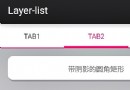 layer-list 實戰:用純 XML 畫出漸層 Tab 與帶陰影的圓角矩形
上圖的 Tab 背景,以及那個帶陰影的圓角矩形,是怎麼做出來的?大部分人的第一反應是找美工切圖,然後用點九圖當背景。但只提供一張圖會出問題。 假設中間那條紅色底線的像素
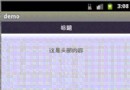 Android 簡單實作 ListView 頂部懸浮效果
先看成果: 這種效果在聯絡人、應用列表這類介面上很常見:捲動時,目前分組的標題會吸附在頂部;進入下一分組時,舊標題被往上推走,新標題接手。以下示範最簡單的實作。 核心思
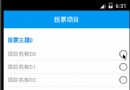 Android 實戰:用 ListView 構建支持單選與多選的投票項目
引言在 Android App 開發中,我們時常會遇到提供一個選項列表讓用戶勾選的需求。以投票類應用為例:系統給出若干主題,每個主題下掛著若干選項,用戶對這些選項進行選擇
 Android Demo:用 Activity 樣式實作底部滑出視窗
前面幾篇聊過圓角按鈕與圓角圖片的做法,這次換個題目。用 App 時應該都碰過這種互動:點一下頭像,畫面底部滑出一個視窗,裡頭是「拍照」、「從相冊選擇」、「取消」,點下去就