

編輯:關於 Android 程式設計
若要在 GridView 中的 TextView 實現跑馬燈(Marquee)效果,直覺上會先在 TextView 中加入以下屬性:
android:ellipsize="marquee"
android:focusableInTouchMode="true"
android:gravity="center"
android:marqueeRepeatLimit="marquee_forever"
android:scrollHorizontally="true"
android:singleLine="true"
但你會發現這在 GridView 中並無效,而且會導致 GridView 無法點擊。問題的根源在於 TextView 的焦點狀態——只有當 View 處於 focus 狀態時跑馬燈才會啟動,而 GridView 中的 item 預設並不會取得焦點。
解決辦法是自定義一個 TextView,覆寫其 isFocused() 方法,強制回傳 true:
package com.shangc.mycar.custom;

import android.content.Context;
import android.util.AttributeSet;
import android.widget.TextView;

/**
 * 自定義 TextView,在 GridView 中實現跑馬燈效果。
 * 覆寫 View 裡面的 isFocused() 方法,預設情況下是不會有效果的,
 * 而且會導致 GridView 無法點擊。
 */
public class MyGridViewTextView extends TextView {
    public MyGridViewTextView(Context context, AttributeSet attrs, int defStyle) {
        super(context, attrs, defStyle);
    }
    public MyGridViewTextView(Context context, AttributeSet attrs) {
        super(context, attrs);
    }
    @Override
    public boolean isFocused() {
        return true;
    }
}
使用這個自定義的 TextView,並記得移除 android:focusable="true" 屬性,即可讓 GridView 中的文字正確呈現跑馬燈捲動效果,同時保持 GridView 的正常點擊。
 Android 自定義 View 實現角度選擇器
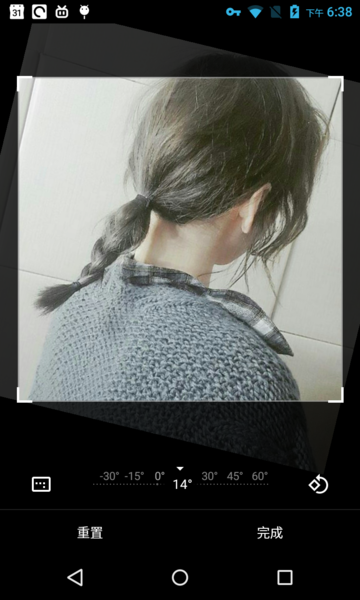
先看看 Google Photos 的效果 最終要實現的效果: 實現思路 先拆結構。這個控件可以分成三部分: 1、表示刻度的點
 Android 動畫全景:四大動畫類型與兩種實現方式
Android 的動畫體系初看眼花,但只要抓住「四種動畫類型 × 兩種定義方式」這張坐標表,全局就清楚了。 一、四種動畫類型 不論用 XML 還是 Java 代碼,動畫
 Android 頁面間傳值的三種做法:單例 Model、Intent 與回傳
按 MVC 的思路,數據本來就該由 model 承載。A 頁面跳到 B 頁面,可以把 model 放進 Intent,也可以在 B 建立之後再去取;反過來,B 要把結果交
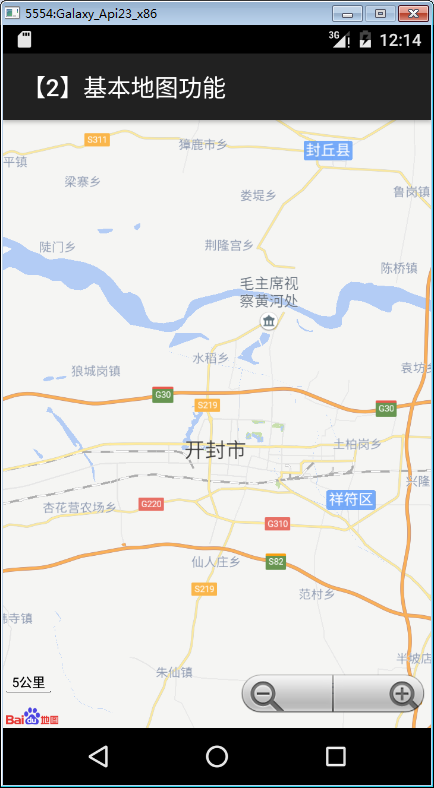 百度地圖應用骨架篇:一次建立 25 個範例的執行環境與專案結構
要一次學會 25 個地圖功能,最有效率的做法就是把它們放進同一個專案裡——這樣只需申請一把密鑰,也不必每個範例都重頭建專案。本文帶你把專案骨架搭好,從資源、SDK 初始化