

編輯:關於 Android 程式設計
在 ViewGroup.java 中,繪製流程從 dispatchDraw() 開始。這裡的 Canvas 由 ViewRootImpl.java 傳入,此時的 Canvas 是與螢幕同等大小的畫布。
@Override protected void dispatchDraw(Canvas canvas) { ... more |= drawChild(canvas, child, drawingTime); }
protected boolean drawChild(Canvas canvas, View child, long drawingTime) { return child.draw(canvas, this, drawingTime); }
drawChild 函式只有一句話,指向了 View.java 的 draw(Canvas canvas, ViewGroup parent, long drawingTime) 函式。(這個函式有別於 draw(Canvas canvas)——後者才是 View 繪製過程真正的起點。)
boolean draw(Canvas canvas, ViewGroup parent, long drawingTime) { ... int sx = 0; int sy = 0; if (!hasDisplayList) { computeScroll(); sx = mScrollX; sy = mScrollY; } final boolean hasNoCache = cache == null || hasDisplayList; final boolean offsetForScroll = cache == null && !hasDisplayList && layerType != LAYER_TYPE_HARDWARE; int restoreTo = -1; if (!useDisplayListProperties || transformToApply != null) { restoreTo = canvas.save(); } if (offsetForScroll) { canvas.translate(mLeft - sx, mTop - sy); } else { if (!useDisplayListProperties) { canvas.translate(mLeft, mTop); } if (scalingRequired) { if (useDisplayListProperties) { // TODO: Might not need this if we put everything inside the DL restoreTo = canvas.save(); } // mAttachInfo cannot be null, otherwise scalingRequired == false final float scale = 1.0f / mAttachInfo.mApplicationScale; canvas.scale(scale, scale); } } ... if (!layerRendered) { if (!hasDisplayList) { // Fast path for layouts with no backgrounds if ((mPrivateFlags & PFLAG_SKIP_DRAW) == PFLAG_SKIP_DRAW) { mPrivateFlags &= ~PFLAG_DIRTY_MASK; if (DBG_DRAW) { Xlog.d(VIEW_LOG_TAG, "view draw1 : calling dispatchDraw,this = " + this); } dispatchDraw(canvas); } else { if (DBG_DRAW) { Xlog.d(VIEW_LOG_TAG, "view draw1 : calling draw,this = " + this); } draw(canvas); } } else { mPrivateFlags &= ~PFLAG_DIRTY_MASK; ((HardwareCanvas) canvas).drawDisplayList(displayList, null, flags); ... }
上面這段程式碼有兩個地方值得特別指出:
第一是 canvas.translate() 函式。這裡表明,ViewRootImpl 傳進來的 Canvas 需要根據子視圖本身的佈局大小進行裁切。也就是說,螢幕上所有子視圖的 canvas,其實都只是一塊裁切後大小的 canvas——這也正是為什麼子視圖 canvas 的座標原點不是從螢幕左上角開始,而是從它自身大小的左上角開始的原因。
第二,如果 ViewGroup 的子視圖仍然是 ViewGroup,那麼它會回呼 dispatchDraw(canvas) 進行分發;如果子視圖是 View,則呼叫 View 的 draw(canvas) 函式進行繪製。
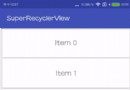 RecyclerView 進階:ItemTouchHelper 實作拖曳排序與側滑刪除
前言 RecyclerView 的應用越來越廣,不同場景往往需要不同的互動。比如很多論壇首頁的側滑刪除,或是長按某個項目後拖曳與其他項目交換位置。RecyclerView
 Android 軟鍵盤的顯示與隱藏:windowSoftInputMode 詳解與兩種監聽方案
Android 裡凡是帶輸入框的界面都繞不開軟鍵盤。系統把 Activity 的窗口和鍵盤窗口都當作 window 來處理,兩者如何互動由清單文件裡的 windowSof
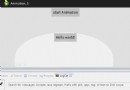 Android 動畫詳解之 View 動畫(Tween Animation)
為了讓互動更順暢,動畫在某些場景下是必要的。Android 3.0 之前支援兩種動畫:Tween 動畫與 Frame 動畫。前者負責平移、縮放、旋轉、透明度漸變這類變換,
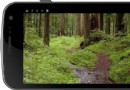 在Android中運用OpenGL ES打造媒體視覺效果
Android 的媒體效果(Media Effects)框架為開發者鋪好了一條捷徑,讓你能為照片與影片套上各式各樣令人驚豔的視覺特效。這套框架的運算核心建立在 GPU 之