

編輯:關於 Android 程式設計
無論是 Activity 還是普通 View,Android 都提供了多種方式來實現透明或半透明效果。下面分別介紹。
首先在 res/values/styles.xml 中定義一個樣式:
<resources>
  <style name="Transparent">
    <item name="android:windowBackground">@color/transparent_background</item>
    <item name="android:windowNoTitle">true</item>
    <item name="android:windowIsTranslucent">true</item>
    <item name="android:windowAnimationStyle">@android:style/Animation.Translucent</item>
  </style>
</resources>
接著在 res/values/color.xml 中定義顏色:
<color name="transparent_background">#50000000</color>
這裡 #50000000 的開頭兩位是透明度參數,取值從 00 到 ff(由全透明到全不透明),後六位才是顏色值。
然後在 AndroidManifest.xml 中為 Activity 指定主題:
<activity android:name=".TransparentActivity" android:theme="@style/Transparent" />
最後在 Java 代碼中也可以通過 setTheme 應用樣式:
public void onCreate(Bundle savedInstanceState) {
    super.onCreate(savedInstanceState);
    setTheme(R.style.Transparent);
    setContentView(R.layout.transparent);
}
Android 自帶了一個透明主題 android:style/Theme.Translucent。想實現透明效果,直接為 Activity 設置該主題即可;若想實現半透明,只需繼承它並重寫相關屬性:
<style name="Theme.Translucent" parent="android:style/Theme.Translucent">
  <item name="android:windowBackground">@color/translucent_background</item>
  <item name="android:colorForeground">#fff</item>
</style>
在清單文件中引用即可:
<activity android:name=".Translucent" android:label="@string/app_name"
    android:theme="@style/Theme.Translucent">
  ...
</activity>
把 Button 或 ImageButton 的背景設置為半透明或全透明:
<Button android:background="#e0000000" ... />  <!-- 半透明 -->
<Button android:background="#00000000" ... />  <!-- 全透明 -->
顏色與不透明度(alpha)以十六進制表示,順序為 AABBGGRR,其中 AA 是 alpha(00 全透明、ff 全不透明),BB、GG、RR 分別是藍、綠、紅。例如要疊加一層 50% 不透明的藍色,可寫成 #7fff0000。
這是最簡單的一種做法,只需在代碼中拿到 View 並調用 setAlpha:
View v = findViewById(R.id.content);
v.getBackground().setAlpha(100); // 0~255,值越小越透明
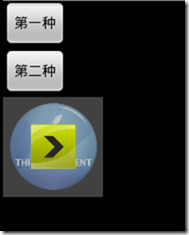 Android 圖片疊加效果的兩種實現方案詳解
圖片疊加是開發中經常冒出的需求,比如給列表圖片加個播放按鈕、給頭像鑲個邊框,或者做多層素材合成。本文整理了兩種在 Android 中實現圖片疊加的經典方案,並附上完整的
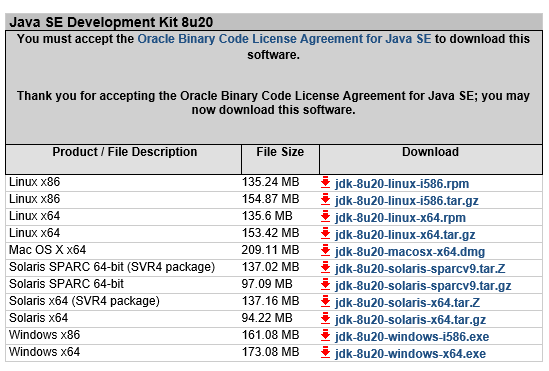 Windows 環境建置 Android 開發環境完整五步驟(JDK、Eclipse、SDK、ADT)
前言 在 Windows 上安裝 Android 開發環境說不上多複雜,但對第一次接觸的人來說環節不少。本文寫給想在自己電腦上建立 Android 開發環境的朋友,寫得盡
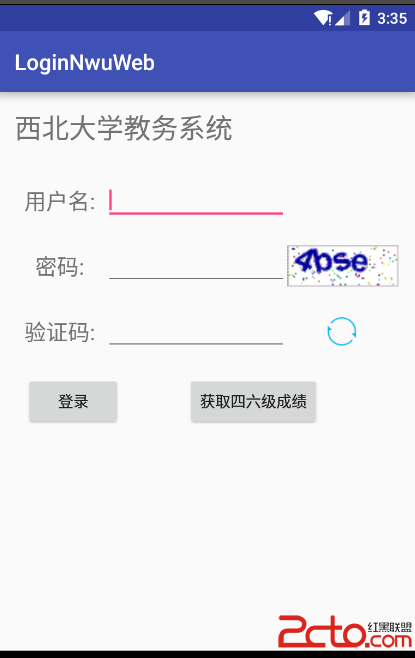 Android 登入客戶端實戰:驗證碼抓取、網頁資料解析與 HttpWatch 抓包
大家好,我是 M1ko。在這個處處都要連網的時代,一個完全沒有網路能力的 App 很難有長但它的生命週期,所以 Android 網路程式設計是每個開發者的必修課。我本身是
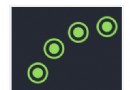 用 ObjectAnimator 打造弧形菜單 ArcMenu
本文介紹如何以 ObjectAnimator 簡單實現一個弧形展開的菜單 ArcMenu。只要直接使用文中的 ArcMenu 類別,就能快速為應用加入這類扇形彈出菜單。使