編輯:關於Android編程
點擊textView中的一小段文字,彈一個dialog框
剛開始是用了兩個textView水平布局,可想而知,當第一個textView快占滿一行,還未換行時,第二個textView很可能出現換行排版問題
小段文字有下劃線
點擊textView中的小段文字時,系統會當做url處理,給點擊部分的text加一個藍色的背景
public class TouchableSpan extends ClickableSpan {
	    private boolean mIsPressed;
	    private int mPressedBackgroundColor;
	    private int mNormalTextColor;
	    private int mPressedTextColor;

	    public TouchableSpan(int normalTextColor, int pressedTextColor, int pressedBackgroundColor) {
	        mNormalTextColor = normalTextColor;
	        mPressedTextColor = pressedTextColor;
	        mPressedBackgroundColor = pressedBackgroundColor;
	    }

	    public void setPressed(boolean isSelected) {
	        mIsPressed = isSelected;
	    }

	    @Override
	    public void updateDrawState(TextPaint ds) {
	        super.updateDrawState(ds);
	        ds.setColor(mIsPressed ? mPressedTextColor : mNormalTextColor);
	        ds.bgColor = mIsPressed ? mPressedBackgroundColor : 0x00eeeeee;
	        ds.setUnderlineText(false);
	    }

		@Override
		public void onClick(View widget) {
			//todo
		}
	}
class LinkTouchMovementMethod extends LinkMovementMethod {
private TouchableSpan mPressedSpan;
@Override
public boolean onTouchEvent(TextView textView, Spannable spannable, MotionEvent event) {
if (event.getAction() == MotionEvent.ACTION_DOWN) {
mPressedSpan = getPressedSpan(textView, spannable, event);
if (mPressedSpan != null) {
mPressedSpan.setPressed(true);
Selection.setSelection(spannable, spannable.getSpanStart(mPressedSpan),
spannable.getSpanEnd(mPressedSpan));
}
} else if (event.getAction() == MotionEvent.ACTION_MOVE) {
TouchableSpan touchedSpan = getPressedSpan(textView, spannable, event);
if (mPressedSpan != null && touchedSpan != mPressedSpan) {
mPressedSpan.setPressed(false);
mPressedSpan = null;
Selection.removeSelection(spannable);
}
} else {
if (mPressedSpan != null) {
mPressedSpan.setPressed(false);
super.onTouchEvent(textView, spannable, event);
}
mPressedSpan = null;
Selection.removeSelection(spannable);
}
return true;
}
TouchableSpan getPressedSpan(TextView textView, Spannable spannable, MotionEvent event) {
int x = (int) event.getX();
int y = (int) event.getY();
x -= textView.getTotalPaddingLeft();
y -= textView.getTotalPaddingTop();
x += textView.getScrollX();
y += textView.getScrollY();
Layout layout = textView.getLayout();
int line = layout.getLineForVertical(y);
int off = layout.getOffsetForHorizontal(line, x);
TouchableSpan[] link = spannable.getSpans(off, off, TouchableSpan.class);
TouchableSpan touchedSpan = null;
if (link.length > 0) {
touchedSpan = link[0];
}
return touchedSpan;
}
}mStartPageTermsCondition.setMovementMethod(new LinkTouchMovementMethod());
 Android百度地圖應用之圖層展示
一、簡介 1、地圖類型 百度地圖Android SDK 3.7.1提供了兩種類型的地圖資源(普通矢量地圖和衛星圖),開發者可以利用BaiduMap中的
 android圖像圖像處理——自定義組件的屬性
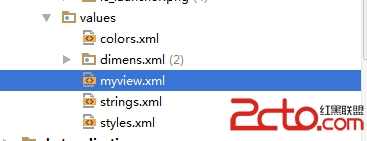
自定義組件的屬性步驟如下【1】在Values資源文件下新建myview.xml 自定義兩個屬性背景圖、畫筆筆觸大小;【2】在
 Android顯示圓角圖片,可指定圖片某幾個角為圓角
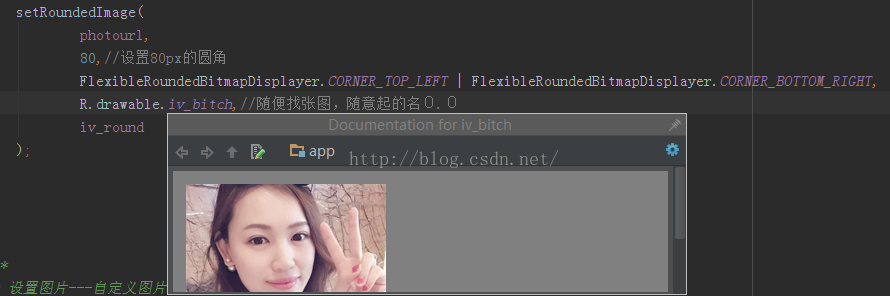
Android中實現圓角圖片的方式有很多種:一、shape二、.9圖三、XferMode四、BitmapShader五、ClipPath其中一、二兩種方法比較簡單粗暴,三
 android之BroadcastReceiver應用詳解
今天我們來講一下Android中BroadcastReceiver的相關知識。BroadcastReceiver也就是“廣播接收者”的意思,顧名思義,它就是用來接收來自系