

編輯:關於 Android 程式設計
「為什麼我的圓形進度條不能改顏色?」這是初學者常問的問題。原因在於圓形(不確定進度)模式的 ProgressBar,其轉盤外觀並不是由 progressTint 這類屬性控制,而是由 indeterminateDrawable 這個可繪製物件決定。換句话说:要改色,就得換掉那張「圖」。
 <ProgressBar
     android:id="@+id/progressbar"
     android:layout_width="wrap_content"
     android:layout_height="wrap_content"
     android:indeterminateDrawable="@drawable/progressbar" />
用 animated-rotate 包一層 shape,就能自訂轉盤的形狀與顏色。這裡示範三色的 sweep 漸層:
 <?xml version="1.0" encoding="utf-8"?>
<animated-rotate xmlns:android="https://schemas.android.com/apk/res/android"
     android:pivotX="50%"
     android:pivotY="50%"
     android:fromDegrees="0"
     android:toDegrees="360">

     <shape
         android:shape="ring"
         android:innerRadiusRatio="3"
         android:thicknessRatio="8"
         android:useLevel="false">

         <gradient
             android:type="sweep"
             android:useLevel="false"
             android:startColor="#6BD3FF"
             android:centerColor="#FF7121"
             android:centerY="0.50"
             android:endColor="#FFFF00" />
     </shape>
</animated-rotate>

<stroke> 畫出中空環形。不需要漸層的話,直接在 shape 裡寫 <solid android:color="#FF0000" /> 即可。另外,從 API 21 起也可以不改 drawable,改用 android:indeterminateTint 與 android:indeterminateTintMode 直接替既有的進度條上色,這在維護第三方 UI 時更省事。
本文示範的是圓形(不確定進度)進度條。若你要處理的是水平進度條,該改的是 progressDrawable,其結構需要包含 background、secondaryProgress 與 progress 三層 <clip>,設定方式完全不同,別把兩者搞混。
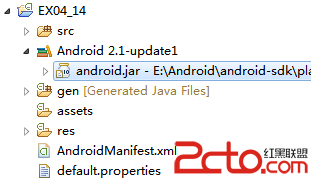 下載並在 Eclipse 中關聯 Android 源碼
一、下載源碼 這部分網路上已有大量資料,可以參考《Windows 平台下 Android 源碼的下載》這類文章,照著操作即可。 不過過程中可能遇到一個小問題:安裝完 Ms
 Android TabHost 用法解析
TabHost 基本概念 TabHost 可用來實作分頁切換效果。每個分頁通常對應一個版面或內容區塊。 版面配置 先在版面中準備多個 LinearLayout,每個 Li
 Android 自訂 View 實作逼真相機光圈調節效果
近幾年手機開始流行雙鏡頭,順帶讓「大光圈」功能紅了起來。所謂大光圈,指的是拍照後能重新對焦,原理大致是把拍攝當下取得的深度圖與對焦在無窮遠的影像,透過演算法合成出淺景深的
 扣丁音樂(三):UI 框架的實作
一、PagerSlidingTabStrip 的運用 扣丁音樂 1.0 前半段(受限於 gif 大小)演示: 影片教學中直接沿用 PagerSlidingTabStri