

編輯:關於 Android 程式設計
Intent 是 Android 元件溝通的核心。當你用「隱式 Intent」把某個意圖丟給系統,系統必須自己找出該由誰來處理——這個配對過程的規則,就是 Intent Filter。搞懂它,才能避免「明明寫了 filter 卻永遠叫不到自己」這類問題。
Intent 用於在一個元件(Activity、Service、BroadcastReceiver)中開啟另一個元件,可分為兩類:
顯式 Intent的典型寫法:
Intent intent = new Intent(this, MainActivity.class); intent.putExtra("key", "value"); startActivity(intent);
執行後目標元件(這裡是 MainActivity)會被建立,onCreate 等生命週期方法依序觸發;在該元件中透過 getIntent().getXxxExtra("key") 就能取得隨 Intent 一起送來的資料。
隱式 Intent則實現了呼叫者與被呼叫者的解耦:呼叫者用 action、data、category 描述需求,被呼叫者在 manifest 中以 Intent Filter 宣告自己能回應哪些意圖。雙方不必互相認識,靠 Intent 這個紐帶就能協同運作。
action、data、category 三方都要匹配,Intent 才算成功。若一個元件宣告了多個 Intent Filter,只要符合其中任何一組即可啟動。
一個 Intent Filter 可宣告多個 action,Intent 的 action 只要與其中任何一個在字串上完全相同(區分大小寫),就算通過。可用 setAction() 設定,也可在建構 Intent 時傳入。注意:隱式 Intent 必須指定 action。
<intent-filter> <action android:name="android.intent.action.SEND"/> <action android:name="android.intent.action.SEND_TO"/> </intent-filter>
因此只要 Intent 的 action 是 SEND 或 SEND_TO,就能匹配上這個 Activity:
Intent intent = new Intent("android.intent.action.SEND");
Android 預先定義了許多代表常見操作的 action,常用的幾個是:
Intent.ACTION_VIEW / Intent.ACTION_DIAL / Intent.ACTION_SENDTO / Intent.ACTION_SEND / Intent.ACTION_WEB_SEARCH
data 可再細分為 uri(由 scheme、host、port、path 等部分組成)與 mimetype。uri 用 setData() 設定,mimetype 用 setType() 設定;隱式 Intent 也必須指定 data。與 action 類似,只要與 Filter 中任一組 data 宣告完全相同即匹配成功。
有兩個細節容易出錯:
public Intent setData(Uri data) { mData = data; mType = null; return this; } public Intent setType(String type) { mData = null; mType = type; return this; }
setData() 會把 mimeType 清成 null,setType() 會把 uri 清成 null——兩者互相排斥。所以連續呼叫 setData().setType() 只會留下 type,這是最常見的踩坑點。
Filter 中宣告 data 的語法:
<data android:scheme="..." android:host="..." android:port="..." android:path="..." android:pathPattern="..." android:pathPrefix="..." android:mimeType="..." />
各部分無需全部指定。例如:
<intent-filter> <data android:mimeType="video/mpeg" android:scheme="http" android:host="www.xxx.com" /> <data android:mimeType="text/plain" android:scheme="http" /> </intent-filter>
此時 Intent 要匹配,mimeType 可以是 text/plain 或 video/mpeg,scheme 必須是 http,host 則不受限制(因為第二組沒指定 host)。另外,path、pathPattern、pathPrefix 三者互斥,同時出現只有一個會生效。
category 的規則與前兩者不同:Intent 中所有 category 都必須在 Filter 中出現,才算匹配。若 Intent 未指定 category,系統會自動補上 android.intent.category.DEFAULT。這就是為什麼想接收隱式 Intent 的元件,Filter 裡一定要寫 android.intent.category.DEFAULT——否則永遠配不上。可用 addCategory() 為 Intent 加上 category。
不確定有誰能處理時,可以先問系統:
在 startActivity() 之前先做一次查詢,是避免 ActivityNotFoundException 的好習慣;若可能有多個對象,也可用 Intent.createChooser() 讓使用者自行選擇。
Android 8.0 之後,大多數隱含廣播不能再靠 manifest 靜態註冊,必須改用動態註冊或指定明確套件;而 deep link 類的 filter 從 Android 12 起還要求必須宣告 android:exported。這些版本差異會直接影響 filter 是否生效,開發時別只照舊教學寫。
以上就是 Intent Filter 匹配機制的重點整理,理解三方皆需匹配、category 需全數涵蓋、data 的 uri 與 type 不可並存這三件事,多數疑难自然迎刃而解。
 四大組件之 ContentProvider(一):Uri 設計與使用系統內建的內容提供者
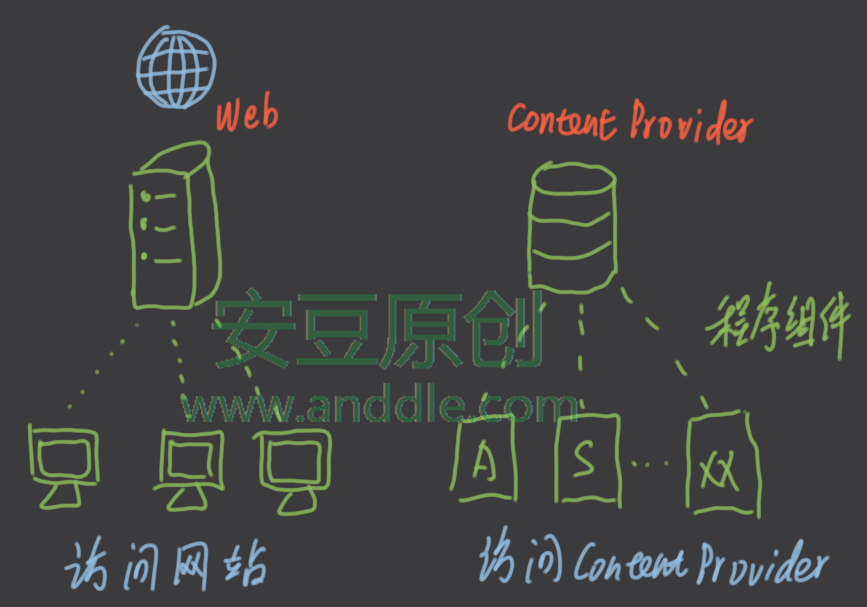
一、ContentProvider 是什麼 ContentProvider 是 Android 四大組件之一,專責對外提供資料存取能力。可以把它想成一個小型網站:其他組件
 Android 集成百度翻譯 SDK:簽名生成與異步請求實戰
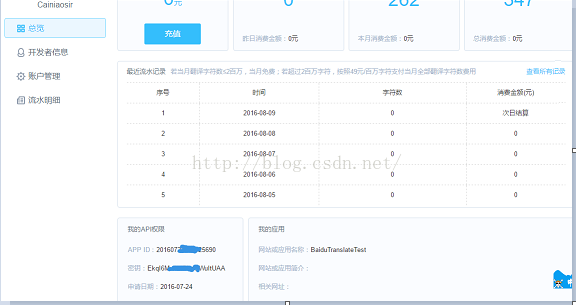
本文記錄在 Android 工程中接入百度翻譯開放平台的完整過程,開發環境為 Android Studio。 一、申請憑證與下載 Demo 先到百度翻譯開放平台(http
 Android 自定義 CircleImageView:一步做出圓形頭像與彩色邊框
圓形頭像幾乎是每個 App 的標配。雖然現在有 Glide 的 CircleCrop、CardView 等現成方案,但自己實作一遍,能徹底理解 BitmapShader
 Android UI 性能优化的几个实用抓手
UI 卡顿的原因五花八门,但真正有效的手段其实就那么几条。下面这些技巧在实际开发中基本都会用到,做个归纳。 一、压缩主线程的阻塞时间 任何耗时较长的操作(经验上超过 5