

編輯:關於 Android 程式設計
昨天完成了框架整合,今天著手實現後台的商品列表查詢。這個需求會牽扯到 JSP、Servlet 以及 Spring MVC 的知識,基礎不牢的朋友建議先補一補。
由於 WEB-INF 下的資源不能被直接訪問,需要先寫一個 Controller 做頁面跳轉。後台首頁本身是基於 EasyUI 開發的。
@Controller
public class PageController {

    /** 打開首頁 */
    @RequestMapping("/")
    public String showIndex() {
        return "index";
    }

    /** 展示其他頁面 */
    @RequestMapping("/{page}")
    public String showPage(@PathVariable String page) {
        return page;
    }
}
這裡有三個關鍵信息:
1. 請求 URL 為「/item/list」
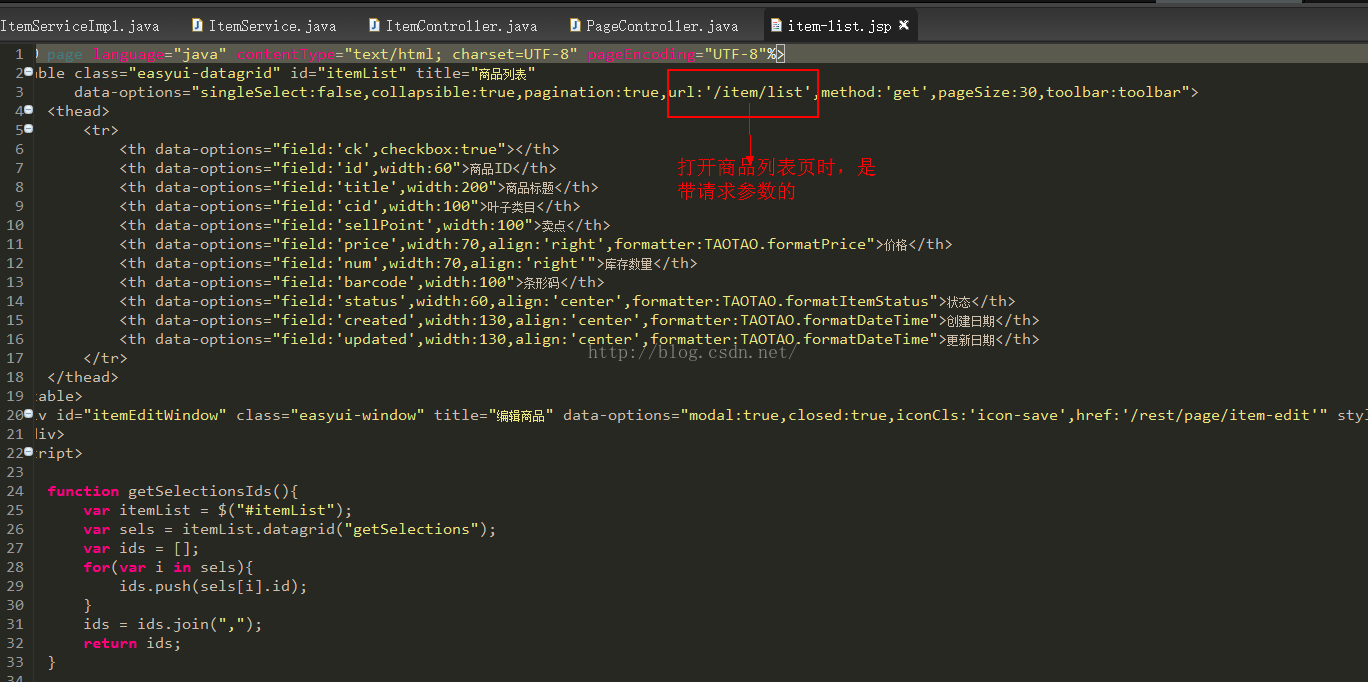
2. 請求參數包含分頁信息,形如 https://localhost:8080/item/list?page=1&rows=30

如果參數沒有正確接收,會直接出現 400 Bad Request。
3. 返回值必須是 JSON 格式
EasyUI 的 datagrid 控件對數據結構有明確要求:
{total: "2", rows: [{id: "1", name: "張三"}, {id: "2", name: "李四"}]}
對應的 SQL 本質上是 SELECT * from tb_item LIMIT 0,30。但 Mapper 是逆向工程生成的,直接改動並不合適,因此引入第三方分頁插件 PageHelper。
官方地址:https://github.com/pagehelper/Mybatis-PageHelper
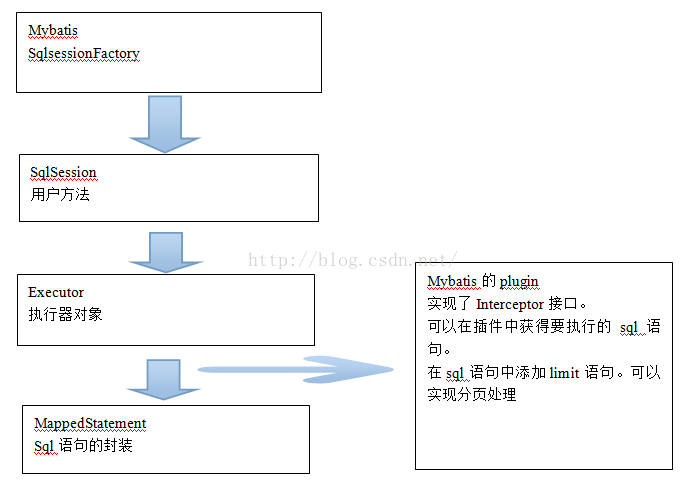
通過 Maven 引入依賴:
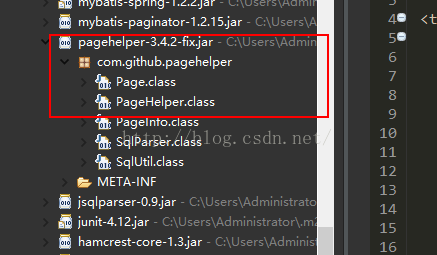
使用步驟共四步:
第一步,引入 PageHelper 的 jar 包。
第二步,在 SqlMapConfig.xml 中配置插件:
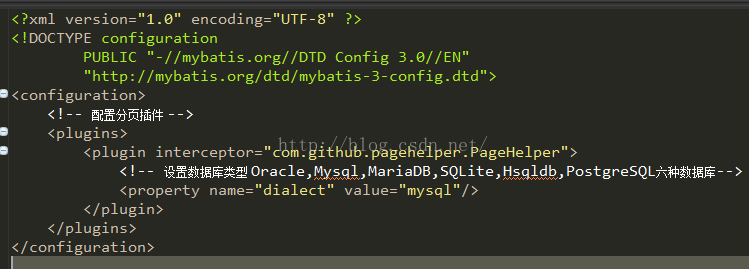
<plugins>
    <plugin interceptor="com.github.pagehelper.PageHelper">
        <!-- dialect 可選 Oracle、Mysql、MariaDB、SQLite、Hsqldb、PostgreSQL -->
        <property name="dialect" value="mysql" />
    </plugin>
</plugins>
第三步,在查詢 SQL 執行之前插入一行:PageHelper.startPage(1, 10);。第一個參數是頁碼,第二個參數是每頁記錄數。
第四步,創建 PageInfo 對象,從中取出總記錄數等分頁信息。
先寫個測試驗證一下:
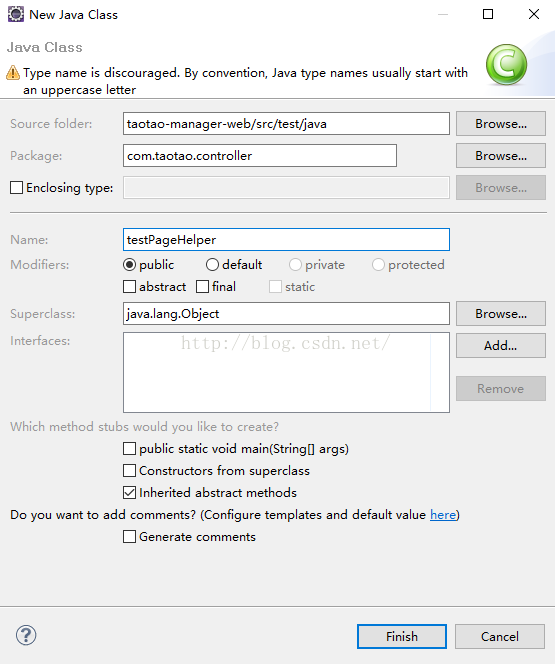
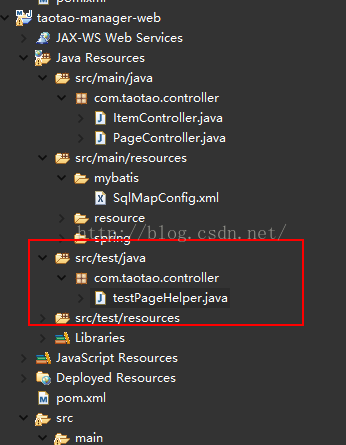
public class TestPageHelper {

    @Test
    public void testPageHelper() {
        ApplicationContext context =
                new ClassPathXmlApplicationContext("classpath:spring/applicationContext-*.xml");
        TbItemMapper mapper = context.getBean(TbItemMapper.class);

        TbItemExample example = new TbItemExample();
        PageHelper.startPage(2, 10);          // 分頁處理
        List<TbItem> list = mapper.selectByExample(example);

        for (TbItem tbItem : list) {
            System.out.println(tbItem.getTitle());
        }

        PageInfo<TbItem> pageInfo = new PageInfo<>(list);
        System.out.println("共有商品: " + pageInfo.getTotal());
    }
}
測試結果:
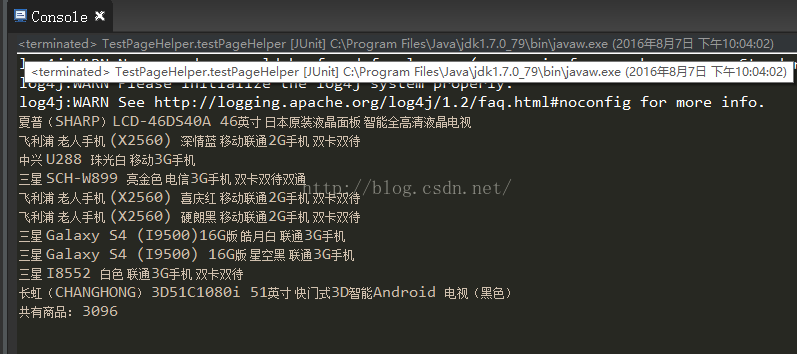
由此可見,Dao 層完全可以在逆向生成的 Mapper 基礎上,靠 PageHelper 完成分頁,無需改動生成代碼。
Service 需要做兩件事:一是接收 page 與 rows 參數並調用 Dao 完成分頁查詢;二是把結果封裝成 EasyUI datagrid 支持的 JSON 結構。
為了讓其他工程也能複用這個結構,把返回結果的 POJO 放在 taotao-common 中:

public class EUDataGridResult {
    private long total;
    private List<Object> rows;

    public long getTotal() { return total; }
    public void setTotal(long total) { this.total = total; }
    public List<Object> getRows() { return rows; }
    public void setRows(List<Object> rows) { this.rows = rows; }
}
接著定義 ItemService 接口:
public interface ItemService {
    TbItem getItemById(long itemId);
    EUDataGridResult getItemList(int page, int rows);
}
實現類:
@Service
public class ItemServiceImpl implements ItemService {

    @Autowired
    private TbItemMapper itemMapper;

    @Override
    public TbItem getItemById(long itemId) {
        // 方式一:按主鍵查詢
        // return itemMapper.selectByPrimaryKey(itemId);

        // 方式二:按條件查詢
        TbItemExample example = new TbItemExample();
        Criteria criteria = example.createCriteria();
        criteria.andIdEqualTo(itemId);
        List<TbItem> list = itemMapper.selectByExample(example);
        if (list != null && list.size() > 0) {
            return list.get(0);
        }
        return null;
    }

    @Override
    public EUDataGridResult getItemList(int page, int rows) {
        TbItemExample example = new TbItemExample();
        PageHelper.startPage(page, rows);          // 分頁處理
        List<TbItem> list = itemMapper.selectByExample(example);

        EUDataGridResult result = new EUDataGridResult();
        result.setRows(list);

        PageInfo<TbItem> pageInfo = new PageInfo<>(list);
        result.setTotal(pageInfo.getTotal());      // 總記錄數
        return result;
    }
}
接收頁面傳來的 page、rows 參數,調用 Service 查詢,並通過 @ResponseBody 直接返回 JSON:
@Controller
public class ItemController {

    @Autowired
    private ItemService itemService;

    @RequestMapping("/item/{itemId}")
    @ResponseBody
    public TbItem getItemById(@PathVariable Long itemId) {
        return itemService.getItemById(itemId);
    }

    @RequestMapping("/item/list")
    @ResponseBody
    public EUDataGridResult getItemList(Integer page, Integer rows) {
        return itemService.getItemList(page, rows);
    }
}
啟動 taotao-manage 時遇到了兩個問題,記錄一下。
問題一:找不到 com.taotao.common.pojo 包
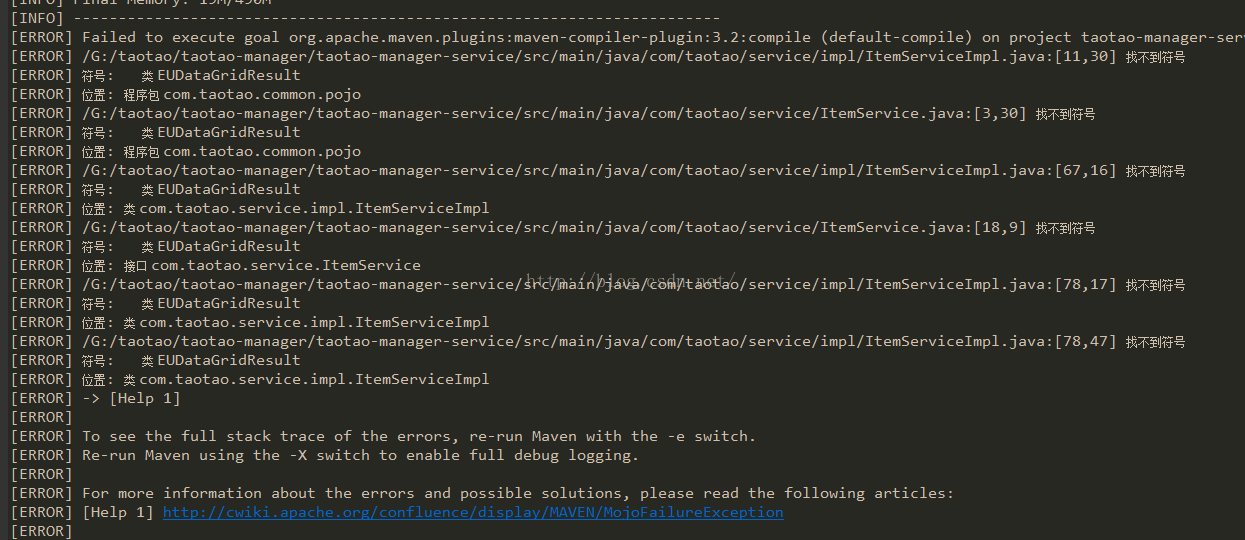
原因是我新建在 taotao-common 工程下的類還沒有同步到本地倉庫。解法是執行 maven install。
問題二:clean 失敗
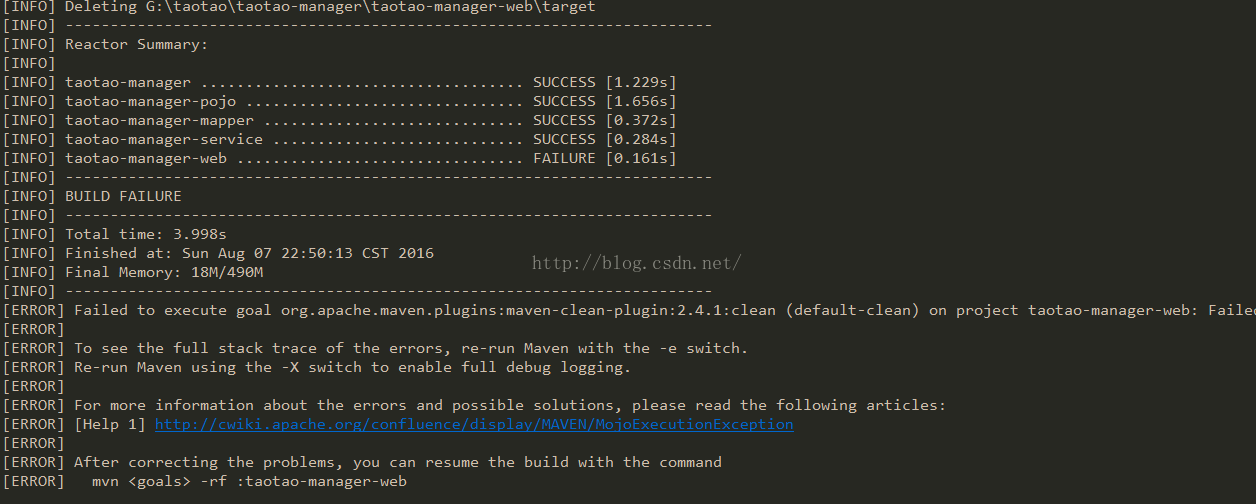
提示無法清理之前啟動 web 的日誌文件。原因是上一個 tomcat 沒有關閉,日誌被鎖定,新啟動的進程自然無法 clean。
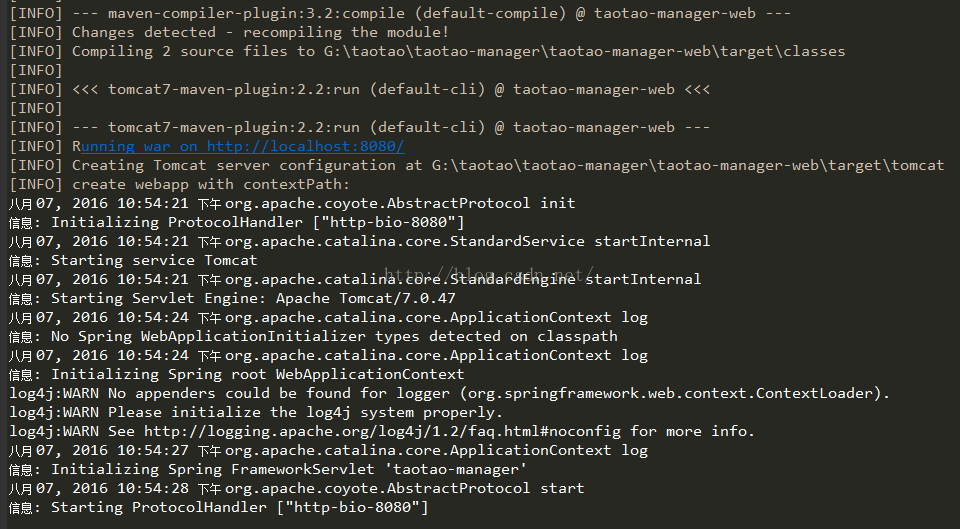
解法很簡單:關閉 tomcat 進程後重新啟動即可。
啟動成功,刷新瀏覽器:
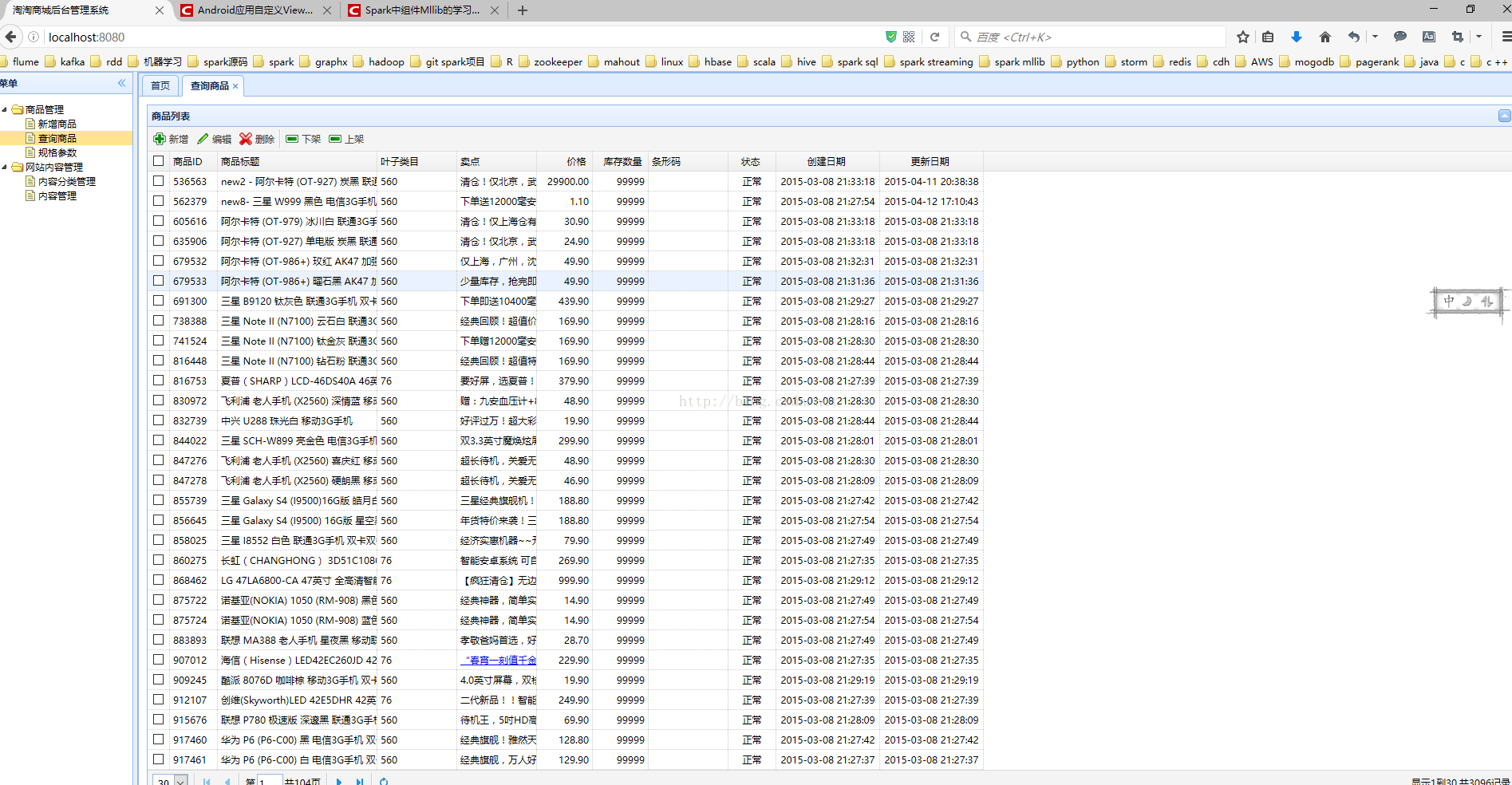
需求實現成功!
明天繼續,歡迎關注。也希望大家別只看不做——這些內容都是晚上擠出幾小時寫的,如果有不夠詳細或有問題的地方,歡迎留言,我會盡量及時回復。
 百度地圖 Android SDK 快速入門:打造你的第一個地圖應用
想快速把百度地圖能力帶進 Android 應用,最合適的起點就是先跑通一個最小可用的地圖頁面。本文以「Hello Baidu Map」為例,說明如何從開發包導入、密鑰配置
 OkHttp 入門與源碼初識:GET 請求、攔截器與快取機制
OkHttp 的定位 OkHttp 是近年來很受歡迎的 Android 網路框架。它並不是要取代所有高階網路庫,而是更貼近底層 HTTP 能力的實作。許多常見框架其實都是
 Android 四大組件之 Activity(下):Window、Task 與啟動模式
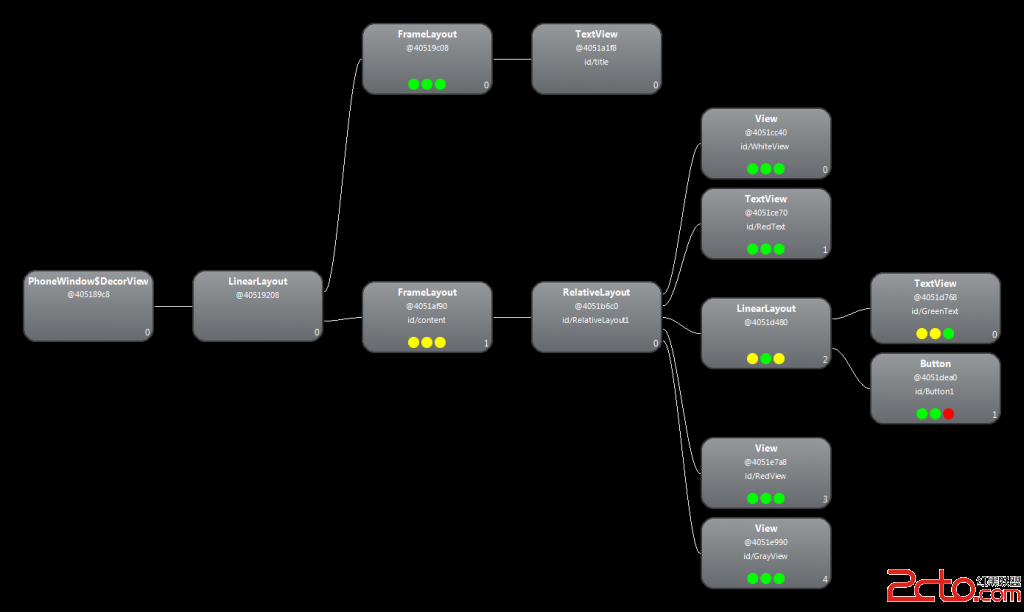
上半篇我們把 Activity 的生命週期走過一遍,這一篇處理更上層的問題:一個 Activity 的畫面究竟是怎麼被「裝」出來的?多個 Activity 之間又是靠什麼
 Android 沉浸式狀態欄實戰:從原理到 API 21 完全透明
前言 這裡不打算爭論「沉浸式」這個詞用得準不準確,大家聽得懂就好。本文整理自實際專案中的經驗,歡迎一起探討。由於實習期間長期處於高強度加班狀態,一直沒時間做總結,直到某天