

編輯:關於 Android 程式設計
今天在 Android 端往 REST 服務 POST 資料,怎麼送都不成功,翻了不少資料才找到癥結:服務端在反序列化 JSON 時,時間格式必須是 UTC 風格,也就是 /Date(1234567890+0800)/ 這種寫法。
這裡用 Gson,並註冊自訂的 Date 型別處理器:
// 利用 Gson 將物件序列化為 JSON
public static String toJson(Object object) {
    GsonBuilder builder = new GsonBuilder();
    // 不轉換沒有 @Expose 註解(或 @Expose(deserialize = false))的欄位
    builder.excludeFieldsWithoutExposeAnnotation();
    // 針對 Date 型別註冊自訂事件
    builder.registerTypeAdapter(Date.class, new UtilDateSerializer());
    Gson gson = builder.create();
    return gson.toJson(object);
}

class UtilDateSerializer implements JsonSerializer<Date> {
    @Override
    public JsonElement serialize(Date src, Type typeOfSrc, JsonSerializationContext context) {
        // 拼出 UTC 時間格式
        return new JsonPrimitive("/Date(" + src.getTime() + "+0800)/");
    }
}
關鍵就在 src.getTime() 拿到毫秒數,再補上時區偏移,讓 .NET 端的 JavaScriptSerializer 能正確還原成本地時間。
/**
 * 以 POST 方式發送請求
 * @param url  請求位址
 * @param json 已序列化的 JSON 字串
 */
public String httpPost(String url, String json) throws Exception {
    String response = null;
    int timeoutConnection = 3000;
    int timeoutSocket = 5000;

    HttpParams httpParameters = new BasicHttpParams();
    HttpConnectionParams.setConnectionTimeout(httpParameters, timeoutConnection);
    HttpConnectionParams.setSoTimeout(httpParameters, timeoutSocket);

    HttpClient httpClient = new DefaultHttpClient(httpParameters);
    HttpPost httpPost = new HttpPost(url);

    // 標頭宣告為 JSON
    httpPost.addHeader("Content-Type", "application/json");
    httpPost.addHeader("User-Agent", "imgfornote");
    httpPost.setEntity(new StringEntity(json, "UTF-8"));

    HttpResponse httpResponse = httpClient.execute(httpPost);
    int statusCode = httpResponse.getStatusLine().getStatusCode();
    if (statusCode == HttpStatus.SC_OK) {
        response = EntityUtils.toString(httpResponse.getEntity());
    } else {
        response = String.valueOf(statusCode);
    }
    return response;
}
[OperationContract]
[WebInvoke(UriTemplate = "/yyxTest",
           RequestFormat = WebMessageFormat.Json,
           ResponseFormat = WebMessageFormat.Json)]
string MensarTest(XCJCQK model);
跨平台交換日期型別時,雙方對格式的共識比程式碼本身更重要。把序列化格式固定下來、寫進介面文件,能省下大量來回排查的時間。另外提醒:文中的 DefaultHttpClient 與 HttpClient 在較新的 Android 版本已被標示為 deprecated,新專案建議改用 HttpURLConnection 或 OkHttp。
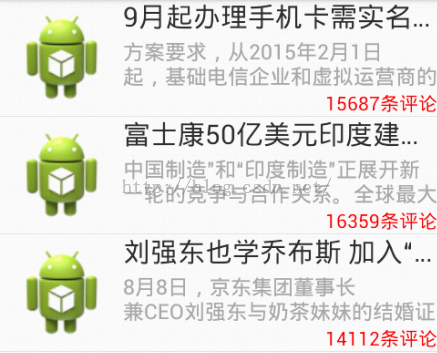 Android 網路開發:抓取線上 XML 並用 ListView 呈現
上次我們示範了如何從網路取得一張圖片,這次換成抓取文字檔,並以實際開發中最常見的 XML 為例。 範例的 XML 內容如下: <?xml version=1.0
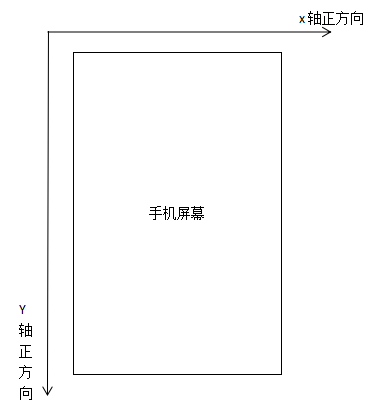 Android 中 View 移動的三種實現方式
View 大概是 Android 進階路上最繞不開的一塊,觸摸事件分發、自定義控件、滑動與移動,環環相扣。本文先把坐標系講清楚,再總結三種讓 View 動起來的方式。
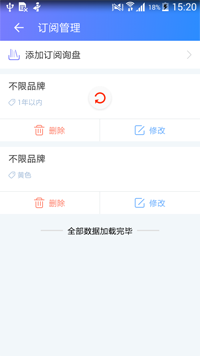 打造通用列表控件:告別每個列表都重寫一遍 Adapter
幾乎每個專案都有一堆列表頁。但仔細看,這些頁面彼此的差異其實只有兩點:子項佈局不同、點擊行為不同。剩下的下拉刷新、空資料提示、載入失敗重試、載入更多,幾乎每個列表都要重寫
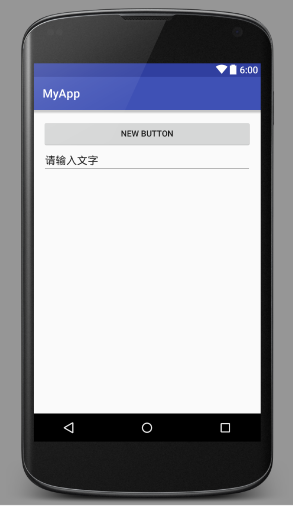 Android 軟鍵盤用法完整整理:顯示隱藏、遮擋處理與 windowSoftInputMode 全解析
軟鍵盤是 Android 開發中再常見不過的需求,但細節散落在各處,每次都要重新搜尋。這篇把常用做法與 windowSoftInputMode 的九種取值一次整理清楚。